Free macOS app · v0.4.4
Mac Video Downloader
Paste a link. Pick the quality. Save it where you want.
MVD is a native Mac download manager for video pages, HLS/DASH streams, audio and direct files, with real quality choices, a persistent queue and a Chrome companion.
- macOS 14+
- Apple Silicon
- No Homebrew needed
- Free
MVD in numbers
- 4Mac app downloads
- 1Chrome companion downloads
- v0.4.4Latest release · Oct 21, 2026
- 50Links per bulk queue
- MP4
- 1080p
- 720p
- HLS
- DASH
- M4A
- MP3
- Opus
- WAV
- FLAC
- Bulk URLs
- Chrome
See it work
From link to file in four clicks
Watch MVD review a link, offer the real formats and finish the download. Press pause or jump to any step.
Demo step 5 of 5: Play it
What you can do
A quieter download library
Thumbnails, real formats, folders and a queue that keeps working after you close the window.
Real quality choices
See the resolutions and formats a video actually offers, including 720p and 1080p when the source has them.
Video or audio, your way
Keep video with audio, save silent video, or extract audio as Original, M4A, MP3, Opus, WAV or FLAC with a bitrate choice.
Bulk URLs
Queue up to 50 unique links at once, each with its own quality, output and folder.
Folders that stay tidy
Pick a default location and create folder shortcuts with names, colors and icons.
Chrome companion
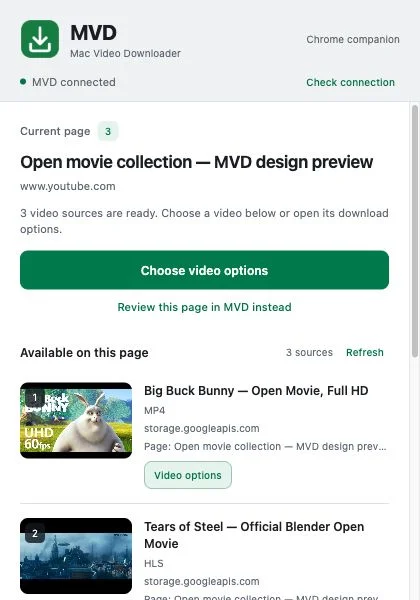
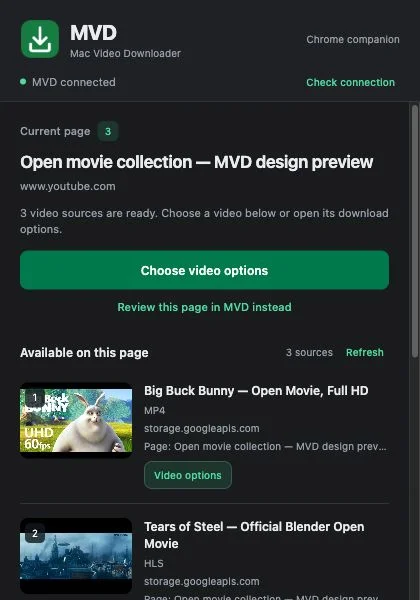
Numbered videos, thumbnails and a Download this video button on detected players.
Pause, retry, accelerate
Pause, retry, cancel, reveal in Finder, and use parallel transfers where the source allows it.
Keeps running
Accepted downloads keep going after you close the window. The queue survives restarts.
Your look
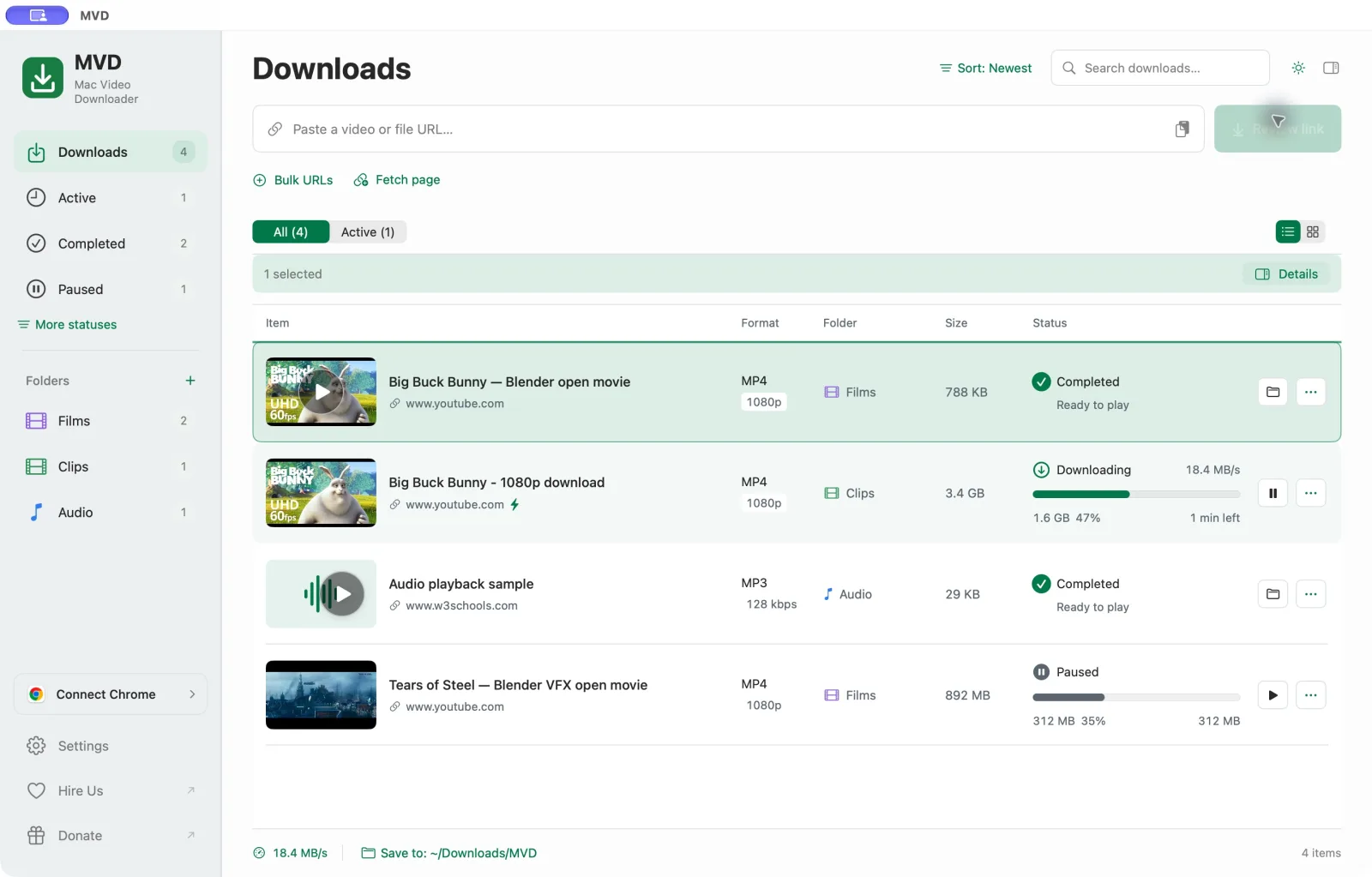
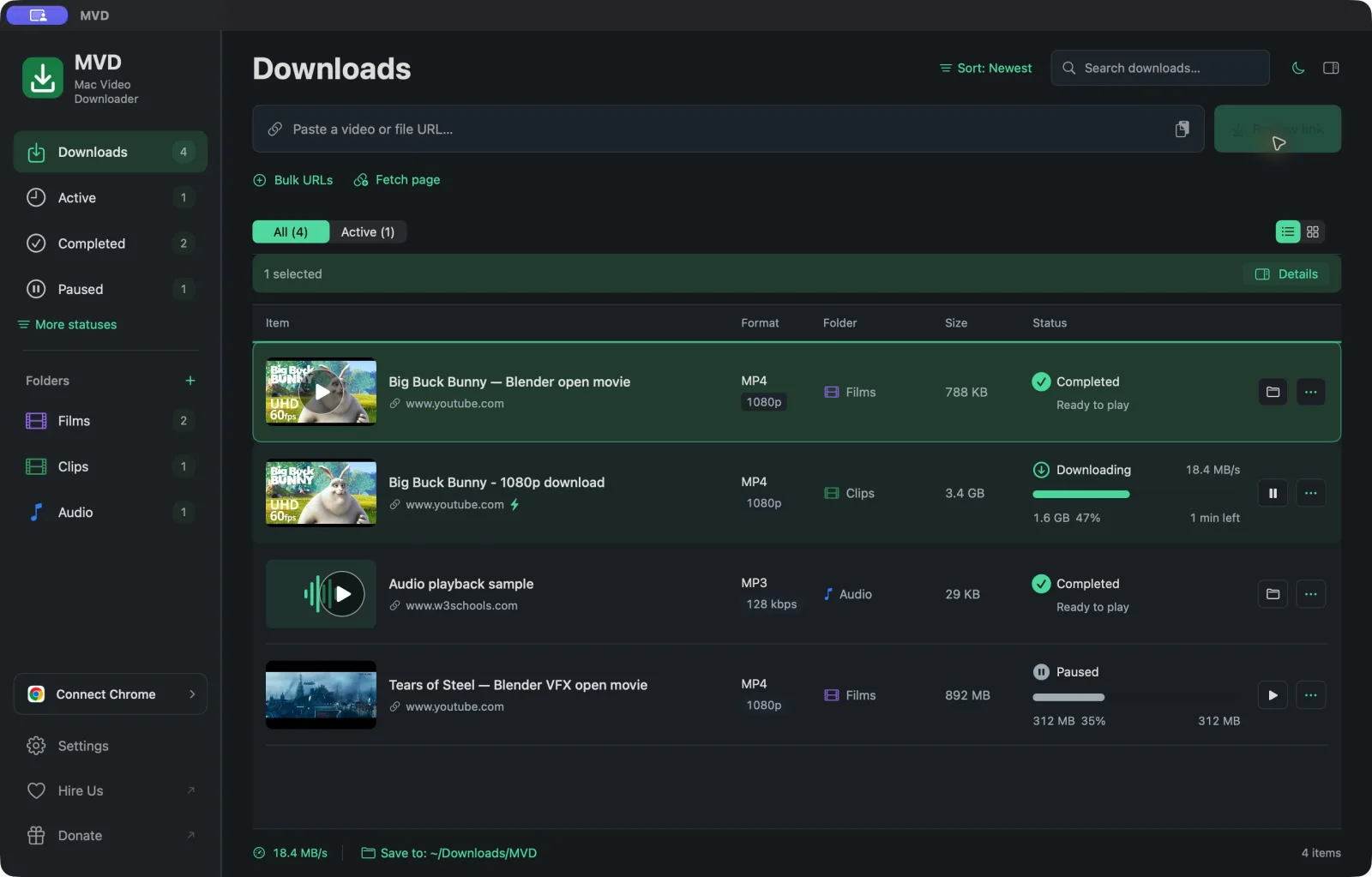
Light, Dark, System or a Custom appearance with your own colors and fonts. List and grid views.
Screenshots
Light, dark and in your browser
The library and the Chrome companion follow your appearance. Switch between them below.
Chrome companion
Download from the page you are on
Choose a video in the popup or click Download this video on its player. Pick the source format, audio and folder. MVD comes forward and selects the job, without adding a second copy.
- Click Connect Chromein MVD's sidebar. The app prepares the companion folder.
- Load unpackedat chrome://extensions with Developer mode on, and select that folder.
- Open the popup onceA green tick confirms a recent handshake with the app.
Install
Install MVD in under two minutes
Requires macOS 14 or later and an Apple Silicon Mac. The release includes its media tools, so there is nothing else to install.
Release v0.4.4Oct 21, 2026
- MVD-0.4.4-arm64.dmg172 MB · 4 downloads
- MVD-Chrome-Installer-0.4.4.zip104 KB · 1 download
- MVD-Companion-0.4.4.zip45 KB · 0 downloads
- MVD-Mutagen-1.48.1-source.zip1 MB · 0 downloads
- SHA256SUMS.txt627 B · 1 download
- Download the DMG. MVD-0.4.4-arm64.dmg
- Open it and drag MVD into Applications.
- Open MVD, paste a supported link and click Review Link.
- Choose quality, format and folder, then click Download.
Compatibility
What works, and what does not
Works
- YouTube and many public video providers
- Vimeo
- HLS and DASH streams
- Direct video, audio and file links
Not supported
- DRM-protected playback
- General WebRTC capture
- Some sign-in or opaque players
- Intel Macs and macOS 13 or older
Support depends on each provider and the source its player exposes. Download only content you have the right to save. Troubleshooting guide
FAQ
Mac Video Downloader FAQ
Requirements, supported sites, audio export and the Chrome companion.
Is Mac Video Downloader free?
Yes. MVD is free to download and use for personal or internal use. You can support development with an optional donation.
Which Macs does MVD support?
MVD needs macOS 14 Sonoma or later on an Apple Silicon Mac (M1, M2, M3, M4 or newer). Intel Macs are not supported in this release.
Do I need Homebrew, Python or developer tools?
No. The release bundles its media tools, so you install the DMG and start downloading.
Which websites work?
YouTube, Vimeo and many other public providers can work through the media engine, plus HLS/DASH streams and direct file links. Support depends on the provider and the source a player exposes. Some authenticated or opaque players stay unavailable.
Can MVD download DRM-protected videos?
No. DRM-protected playback and general WebRTC capture are unsupported. Download only content you have the right to save.
How do I save a video as MP3?
Paste the link, click Review Link, choose Audio only, pick MP3 and a bitrate such as 128 kbps, then click Download.
How does the Chrome companion connect?
Click Connect Chrome in MVD's sidebar. In Chrome, open chrome://extensions, turn on Developer mode, choose Load unpacked and select the folder MVD shows. Open the companion popup once to finish. A green tick confirms the connection.
Is the source code available?
Yes. You can read the source on GitHub and build it unchanged. The license reserves modification, redistribution, rebranding and resale; ask for permission first.
Made by Kwebby
Need an app like this built?
Ramanpal Singh and the Kwebby team built MVD. We build Mac, Windows and Linux desktop apps, web apps and mobile apps on fixed quotes.